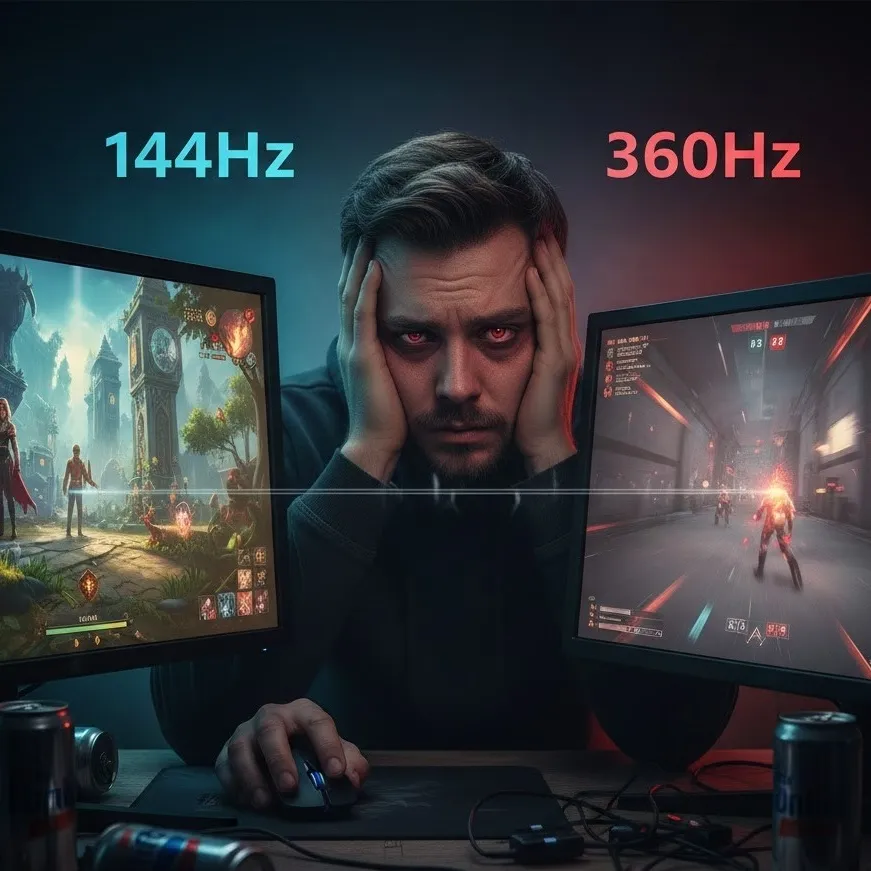
Learn why 144Hz remains the sweet spot for most gamers and users.
High-Refresh Rate Monitor Fatigue: The Truth Behind the Numbers
In the high-stakes world of digital displays, the marketing machine has shifted its gears from "Resolution" to "Refresh Rate." While the leap from 60Hz to 144Hz was a revelation for both casual users and gamers, the industry is now pushing into the territory of 240Hz, 360Hz, and even 540Hz. However, as the numbers climb, a new phenomenon has emerged: High-Refresh Rate Monitor Fatigue. This isn't just a physical exhaustion of the eyes; it is a technical and physiological plateau where the human visual system struggles to justify the astronomical price tags and hardware demands of these panels.
The Diminishing Returns Past 144Hz
For the average user, 144Hz is often cited as the "sweet spot." The reason lies in the math of frame times. 60Hz to 144Hz: The frame time drops from 16.6ms to 6.9ms—a massive 9.7ms improvement. This is instantly perceptible as "smoothness" even during simple tasks like scrolling through a webpage. 144Hz to 240Hz: The drop is from 6.9ms to 4.1ms (a 2.8ms gain). 240Hz vs 360Hz: The improvement is a mere 1.4ms (from 4.1ms to 2.7ms).
While a competitive gaming monitor is designed to shave off every possible microsecond, the average human reaction time is approximately 250ms. For someone who isn't a professional esports athlete, paying a 2x premium for a 1.4ms reduction in frame delivery offers almost zero functional benefit. This is the definition of diminishing returns: the cost and system load increase exponentially, while the perceived gain in fluidity shrinks toward zero.
Eye Strain: The Hidden Cost of Speed
ThE pursuit of ultra-high refresh rates often introduces specific types of eye strain that users may not expect.
Motion Clarity vs. Tracking Fatigue
High refresh rates are meant to reduce motion blur, but at 360Hz, the "phantom array effect" can occur. This happens when the eye moves across the screen faster than the images are updated (even at high speeds), causing the brain to see "stuttering" trails. Trying to resolve these microscopic inconsistencies can lead to ocular fatigue during long sessions.
Brightness and Pulse Width Modulation (PWM)
To achieve extreme speeds, some monitors use aggressive strobing techniques (Backlight Motion Blur Reduction). If the strobing frequency isn't perfectly tuned, it can cause sub-perceptual flickering. This is a primary driver of headaches and "heavy" eyes, as the pupils are forced to constantly micro-adjust to light fluctuations they can't consciously see.
IPS vs OLED: The Battle for Visual Comfort
When choosing a high-speed display, the panel technology is just as important as the hertz. In the IPS vs OLED debate, OLED usually wins for motion clarity. Because an OLED pixel can turn off instantly, its response time (GtG) is significantly faster than any IPS panel. An OLED at 240Hz often looks clearer than an IPS at 360Hz because there is no "ghosting" or trailing behind moving objects. However, OLEDs often use PWM to control brightness, which can be more taxing on flicker-sensitive eyes than the DC-dimming found in most high-end IPS displays.
| Feature | IPS (In-Plane Switching) | OLED (Organic Light Emitting Diode) |
|---|---|---|
| Response Time (GtG) | Typically 0.5ms to 1ms (marketed) | Near-instant (0.03ms) |
| Eye Strain Factor | High blue light; constant backlight | PWM flickering at low brightness |
| Contrast | Standard (1000:1) | Infinite (True Blacks) |
| Best For | Bright rooms, office productivity | Dark room gaming, HDR media |
Visual Fidelity Trade-offs
To hit 360Hz or higher, manufacturers often have to make significant visual fidelity trade-offs.
- Resolution Bottlenecks: Most ultra-high refresh monitors are capped at 1080p. On a 27-inch screen, this leads to lower pixel density, making text look "fuzzy"—a major contributor to eye strain during non-gaming use.
- Color Accuracy: Driving a panel at 500Hz often requires "overclocking" the liquid crystals, which can lead to color shifting, oversaturation, or washed-out imagery.
- Hardware Stress: Pushing 360 FPS requires a top-tier GPU and CPU. This generates more heat and fan noise in your environment, subtly increasing the "fatigue" of the user experience.
Debunking the Pro-Gamer Myth for Average Users
Marketing for a competitive gaming monitor often implies that a higher refresh rate will make you a better player. While it is true that lower latency helps, it only matters if your skill level is high enough to hit the "ceiling" of your current hardware. If you are a "Gold" or "Platinum" rank player in a shooter, moving from 144Hz to 360Hz will likely not change your rank. You are limited by your game sense, positioning, and natural reaction time—not the 1.4ms difference in display lag. For 95% of the population, the extra money is better spent on a higher-resolution (1440p or 4K) monitor with better color accuracy.