Unlock the power of YouTube polls and the Community Tab for massive growth.
The Ultimate Guide: Harnessing the Power of YouTube Polls & The Community Tab
The journey of a successful YouTube creator is no longer a simple equation of "upload videos and gain views." In today’s saturated content landscape, the key to sustained growth and algorithmic favor lies in deep, meaningful Community engagement. The YouTube Community Tab, particularly its built-in polls feature, represents one of the most underutilized and powerful tools available to creators for cultivating a loyal fanbase, gathering invaluable data, and dramatically improving video performance.
This comprehensive guide will unpack the transformative power of the Community Tab and its polls, offering creators actionable strategies to boost metrics, solidify viewer loyalty, and effectively crowdsource their content strategy.
The Community Tab: Your Year-Round Engagement Hub
Think of the Community Tab as your channel's dedicated social media feed—a space that lives between your full-length videos and Shorts, keeping your audience connected and engaged 24/7. While a video is a one-way broadcast, the Community Tab is a two-way street, fostering a genuine connection and making your viewers feel like true insiders.
Beyond the Video Upload Schedule
A creator’s biggest challenge is often the engagement drought between video uploads. The algorithm favors channels with consistent activity. By regularly posting on the Community Tab—whether it’s a quick photo, a text update, or, most effectively, a poll—you constantly signal to YouTube that your channel is active and your audience is interacting.
This continuous interaction acts as a priming mechanism: viewers who engage with your Community posts are far more likely to see your next video in their Home or Subscriptions feed. This is the bedrock of strong Community engagement.
Polls: The Engine of Audience Feedback and Interaction
Polls are the star feature of the Community Tab, providing a frictionless, single-click method for viewers to interact with your channel. They are not merely fun diversions; they are a sophisticated data-collection tool that fuels an informed and profitable content strategy.
1. Crowdsourcing for Content Suggestions and Validation
One of the most paralyzing challenges for any creator is deciding what to make next. Endless scrolling through comments is inefficient. Polls solve this problem by providing structured audience feedback and clear, quantifiable content suggestions.
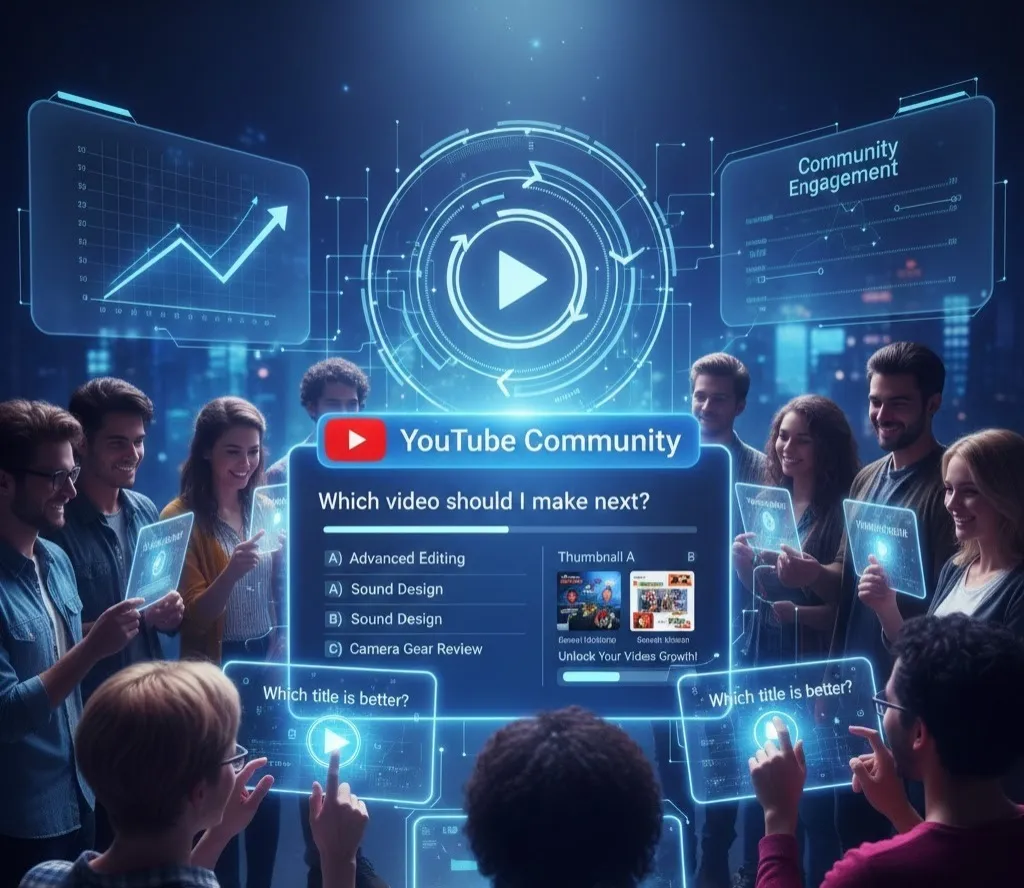
- Next Topic Decisions: Instead of guessing, ask your audience directly. "Which tutorial should I film next: A) Advanced Color Grading, B) Sound Design Basics, or C) Camera Gear Review?" The results give you a direct mandate.
- Series Continuation: For long-running series, a poll can gauge enthusiasm: "Should I end this series now, or do one more episode on [Specific Topic]?" This gives your community a sense of ownership over your creative output.
- Format Testing: Use polls to test new formats before committing to a full-scale video production. "Would you prefer a 10-minute vlog or a 3-minute Short on this topic?"
By giving your audience a voice in the creative process, you instantly increase their investment in the resulting video. They become stakeholders, and stakeholders are much more likely to click, watch, comment, and share.
2. Pre-Upload Testing: Predicting Performance with Precision
This is arguably the most powerful and strategic use of Community Polls: pre-upload testing of the key elements that drive a video’s success—the title and the thumbnail.
The Click-Through Rate (CTR) is the single most important metric for YouTube's algorithm. A higher CTR means the algorithm will show your video to more people. The CTR is primarily determined by two things: the title and the thumbnail.
Using the Community Tab for Low-Risk Performance Prediction
While YouTube offers a native A/B Test & Compare feature for thumbnails after a video is published, using the Community Tab allows for a unique, low-risk way to predict performance before you ever hit the "Publish" button. This crowdsourced approach is effective and builds anticipation.
- Thumbnail A/B/C Testing with Image Polls:
- Create an Image Poll on your Community Tab.
- Upload 2-4 thumbnail variations for your upcoming video. Ensure the variations are significantly different to get clear results (e.g., different color schemes, text overlays, or emotive faces).
- Ask a clear question: "Which thumbnail would make you click on this video: A, B, C, or D?"
- The option with the highest number of votes is the community-validated winner—the one most likely to achieve a high CTR.
- Title Testing with Text Polls:
- Create a Text Poll with 2-4 title options. Titles should vary in their approach: one benefit-driven, one curiosity-driven, one SEO-heavy, etc.
- Ask: "Which title makes you want to watch this video most?"
- The highest-voted title combined with the winning thumbnail forms a powerful, audience-optimized pairing.
This process essentially acts as a pre-launch validation system, allowing you to go into your video launch with the confidence of knowing your chosen title and thumbnail have already proven their ability to capture attention. This is a game-changer for maximizing first-day performance and algorithmic momentum.
3. Nurturing Viewer Loyalty and Strengthening the Community Bond
The Community Tab is the digital hearth of your channel. By regularly interacting there, you transform your channel from a utility (a place to watch videos) into a destination (a place to belong). This is the key to building lasting viewer loyalty.
- Behind-the-Scenes Access: Use posts to share snippets of your creative process, blooper photos, or a quick "life update." This humanizes the creator and makes the audience feel like they are getting exclusive content, increasing their perceived value of their subscription.
- Q&A Sessions: Pose an open-ended question or run a poll asking for questions for an upcoming Q&A video or just to answer directly in the comments. Responding to comments on Community posts is an incredibly direct way to build rapport.
- Trivia and Quizzes: Run fun polls related to past video content or niche trivia. This is not only highly engaging but also encourages viewers to revisit old videos to find the answer, boosting the watch time of your back catalogue.
- Shout-Outs and Recognition: Highlight a fantastic fan comment, a piece of fan art, or give a shout-out to a dedicated member of your community. Public recognition fuels a positive feedback loop, encouraging more interaction from the entire audience.
Integrating the Community Tab into Your Content Funnel
For maximum impact, the Community Tab should not be an isolated tool but a fully integrated part of your overall content strategy.
| Stage of Content Funnel | Community Tab Application | Benefit |
|---|---|---|
| Pre-Production | Polls for content suggestions and topic validation. | Ensures content meets proven audience demand, reducing risk. |
| Pre-Launch | Polls for pre-upload testing of titles and thumbnails. | Maximizes CTR and first-day performance, optimizing algorithmic reach. |
| Post-Launch | Link to the new video with a conversational post or a follow-up question. | Drives immediate traffic to the new video and sustains the comment section. |
| Between Videos | Text updates, images, and fun polls unrelated to new videos. | Maintains Community engagement and viewer loyalty, keeping the channel visible. |
Conclusion: Transforming Viewers into a Loyal Community
The Power of YouTube Polls & Community Tab is the power of connection. In an era where the algorithm prioritizes channels that generate meaningful interaction, treating your audience as a silent, passive viewership is a recipe for stagnation. By strategically implementing polls and posts, you transform fleeting views into deep Community engagement and mere subscribers into fiercely loyal fans.
From crowdsourcing compelling content suggestions and performing critical pre-upload testing to building unwavering viewer loyalty, the Community Tab is the single best platform for any creator serious about sustainable growth. It is the tool that gives your audience a voice, and in return, they give you their time, their attention, and their clicks—the ultimate currency on YouTube. Embrace this power, and watch your channel thrive.