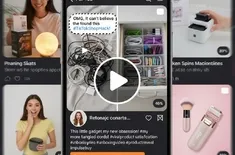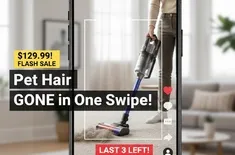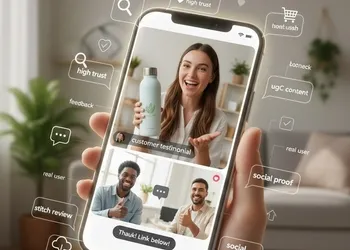
Learn how to find and download honest feedback to create high-trust customer testimonials.
The Power of the "Stitch": Why Social Proof Wins
In 2026, "over-produced" is often synonymous with "fake." Consumers have developed a keen eye for polished advertisements and are gravitating toward raw, customer testimonials.
A stitch review allows you to take a video created by a real user and "attach" your response to the end of it. This creates high trust because it shows the original, unedited creator's experience first. When you follow up with a quick "Thank you," you humanize your brand and reinforce the social proof that your product actually works in the real world.
Phase 1: Finding the Perfect UGC Content
Before you can stitch, you need to find the right video. You are looking for "Goldilocks" content: not too polished, but clear enough to be professional.
Where to Look
- TikTok & Instagram Tags: Check your "Tagged" photos and videos.
- Branded Hashtags: Search for specific hashtags you’ve created for your community.
- Brand Mentions: Use social listening tools to find creators who mentioned you without tagging you directly.
What Makes a "High Trust" Review?
- Emotional Authenticity: Does the customer look genuinely happy or relieved?
- Specific Problem-Solving: Do they mention a specific pain point your product solved?
- Visual Evidence: Can you see the product being used clearly?
Phase 2: How to Download Reviews Without the Watermark
To maintain a professional look for your ads or website, you need a clean video. Standard "Save Video" options on social apps include a moving watermark that can be distracting and look "reposted."
Steps to Download (Watermark-Free)
- Copy the Link: On TikTok or Instagram, tap "Share" and select "Copy Link."
- Use a Third-Party Downloader: Navigate to a reputable tool like SnapTik, SSSTik, or DataTool.vip.
- Paste & Parse: Paste your link into the search bar of the tool.
- Download HD: Choose the "No Watermark" or "HD" option. This ensures the UGC content looks crisp when you re-upload it.
Important Note: Always ensure you have the creator's permission before downloading and repurposing their content for commercial use. A simple DM or comment asking "Can we feature this on our page?" goes a long way in building creator relationships.
Phase 3: The "Stitch" Strategy – Adding Your Response
Once you have your clean file, it’s time to add the "brand handshake." The goal is to acknowledge the honest feedback without stealing the spotlight.
The Formula for the Perfect Response
- The Hook: Keep the customer's video for the first 5–10 seconds (the "Review" part).
- The Transition: A quick cut to you or a team member.
- The Response: "We are so glad [Customer Name] loved the [Product]! It really is a game-changer for [Problem]."
- The CTA: "Thank you for the support! Link below to grab yours."
Editing Tools
You can use the native TikTok/Instagram "Stitch" tool, but for better control, use CapCut or Canva. These allow you to overlay text like "Verified Buyer" or "Customer Story" to further solidify the social proof.
Summary: Building a Feedback Loop
The beauty of a stitch review is that it creates a virtuous cycle. When other customers see you featuring honest feedback, they are more likely to create their own UGC content in hopes of being featured. This provides you with an endless stream of high trust marketing material that costs significantly less than a professional film crew.
Would you like me to help you find specific tools for watermark removal or create a content calendar for your reviews?