Unlock YouTube Studio Analytics.
YouTube Studio Analytics Deep Dive: Master Retention, Traffic, and Your Content Roadmap
YouTube Analytics is the indispensable control center for every creator, transforming raw data into actionable insights for channel growth. It’s more than just a scoreboard; it’s a detailed map revealing what your audience watches, how they find you, and why they stay or leave. A deep dive into the Analytics section of YouTube Studio allows creators to move beyond guesswork and implement a data-driven content roadmap that leads to long-term success.
Unlocking Viewer Behavior with Audience Retention
The audience retention graph is arguably the most critical report in YouTube Analytics. It shows the percentage of viewers who watch your video at every moment, from the first second to the last. This graph is a direct measure of your content’s quality and ability to engage.
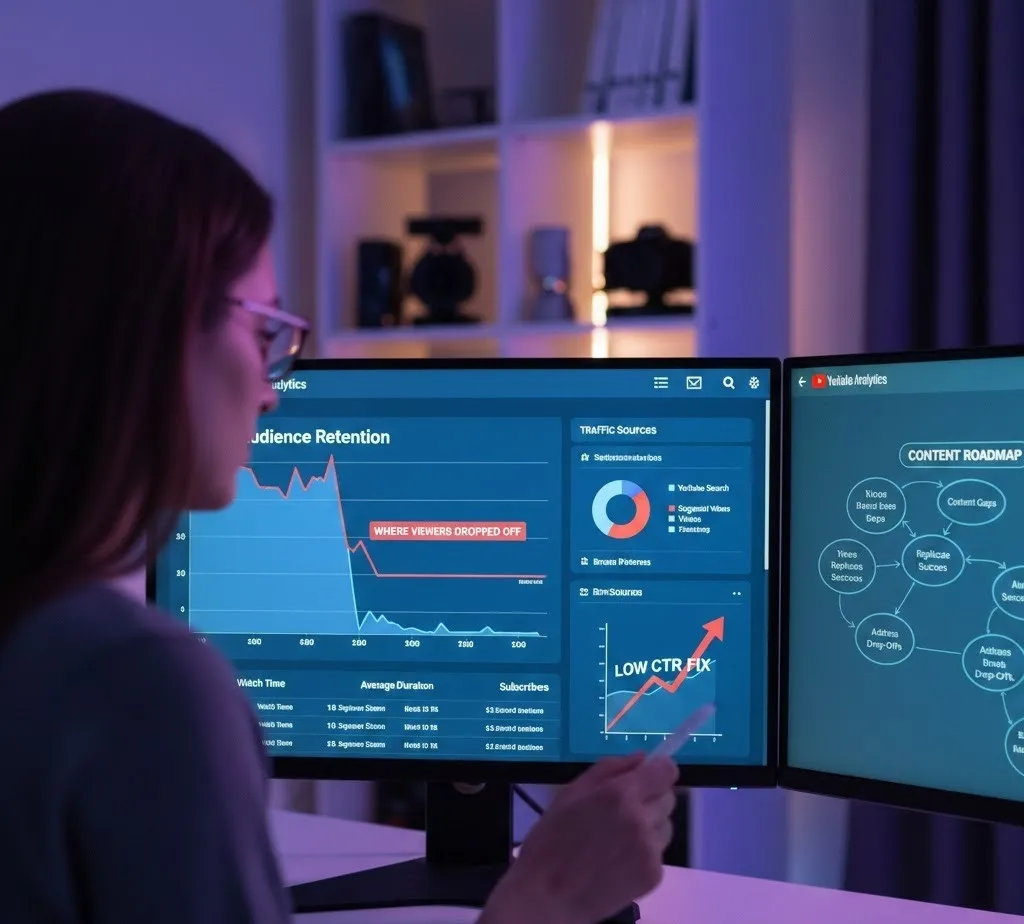
How to Use the "Where Viewers Dropped Off" Graph
The absolute retention line shows exactly where your audience is losing interest. A steep decline or a sharp dip indicates a major drop-off analysis point. By cross-referencing these dips with the video content at that specific timestamp, you can make targeted improvements to your future videos.
Analyze the Intro (The First 30 Seconds): The initial drop is often the steepest. If your retention is below your channel's average in the first 30 seconds, your hook needs improvement. Was the introduction too long? Did you take too long to get to the point promised by the title and thumbnail? Use this insight to ruthlessly trim unnecessary self-introductions or lengthy logos in future videos.
Pinpoint and Edit Future Videos:
- Dips: Go to the exact moment of a dip. What was happening? Was there a repetitive visual, a tangent that didn't align with the video's core promise, or a confusing explanation? For future content, you should cut or dramatically shorten similar segments, improve clarity with better visuals, or vary the pacing.
- Spikes: Spikes indicate moments that viewers **rewatched** or shared. Analyze these highlights—what made them so compelling? Was it a powerful visual, a surprising reveal, or a moment of humor? Replicate the successful elements (e.g., specific camera angles, music choices, or storytelling techniques) in your next videos.
- Flat Segments (Top Moments): These are sections where almost no one left. This is your gold standard for pacing and engagement. Identify the factors at play—consistent energy, clear communication, or high-value information—and use them as a template for structuring your future content.
By integrating this drop-off analysis into your post-production workflow, you can continually refine your storytelling and editing to maximize viewer watch time, a core metric for the YouTube algorithm.
Decoding Discovery: Traffic Sources and Viewer Quality
The Traffic Sources report within the Reach tab of YouTube Analytics is your guide to understanding how viewers find your content. This information is vital for optimizing your content for discovery and determining which sources bring you the most valuable viewers.
Identifying Which Traffic Sources are Bringing the Best Quality Viewers
Not all views are created equal. A view from a high-quality viewer is one that results in a long watch time, a subscription, or another desired action. To find your best-quality viewers, you need to go beyond the simple view count:
Compare Watch Time and Average View Duration: Break down the Traffic Sources by two key engagement metrics: Watch Time and Average View Duration (AVD).
- YouTube Search traffic often brings high-quality viewers because they are actively searching for your specific content (high intent). If Search traffic has a high AVD, it confirms that your content delivers on the search query.
- Suggested Videos and Browse Features often bring a larger volume of traffic, but you must check the AVD. If the AVD is low, it means your titles and thumbnails are compelling (**high CTR**), but the video itself fails to hook the viewer (a potential low CTR fix is to first fix low retention). High AVD from suggested videos indicates that YouTube is successfully recommending your content to the right audience—an excellent sign for algorithm promotion.
- Filter by Subscriber Conversion: Check the Subscribers gained from each traffic source. Traffic that converts well to subscribers is inherently high-quality because it signifies a viewer who is loyal and likely to return. A view from an External source (like a social media share) might have a high initial view count but a low subscription rate, making it lower quality than a view from a loyal subscriber browsing your channel page.
By isolating sources that yield high retention, long watch time, and high subscriber conversion, you can prioritize your optimization efforts. For example, if YouTube Search performs best, double down on video SEO and keyword research. If Suggested Videos shine, focus on creating compelling, related videos that YouTube's algorithm can easily recommend in a binge-watching session.
The Click-Through Rate (CTR) and Low CTR Fix Strategy
Your Click-Through Rate (CTR), found in the Reach tab, is the percentage of people who click your video after seeing its impression (i.e., the thumbnail and title). A high impressions count with a low CTR means your video is visible, but the title and thumbnail are not compelling enough to earn the click. Conversely, a high CTR with a low audience retention graph means your title/thumbnail is great, but the video content is misleading or unengaging.
Low CTR Fix: Optimizing Impressions
A low CTR fix can be implemented by optimizing the two elements that drive the click:
- Thumbnail Optimization: Your thumbnail is your video's advertisement. It should be visually distinct, high-resolution, and immediately convey the video's value. Test different styles: one with a large face, one with compelling text, and one with a clear outcome from the video.
- Title Optimization: The title must be a promise that the video delivers on. It should be concise, use relevant search keywords, and create a "curiosity gap" or clearly state the benefit for the viewer.
A systematic approach to A/B testing thumbnails and titles is the most reliable low CTR fix method for improving your organic discovery.
Building Your Content Roadmap with Analytics
The ultimate goal of this deep dive into **YouTube Analytics** is to create a dynamic and informed content roadmap. This is a cyclical process of creating, measuring, and refining:
- Identify Content Gaps: Use the Research tab to see what your audience is searching for but isn't finding. These are content opportunities.
- Replicate Success: Look at your top-performing videos (high Watch Time, high AVD, high subscriber conversion) across all traffic sources. Deconstruct them—what made them work? Was it the topic, the format, or the pacing? Make more content that falls into these successful categories.
- Address Drop-Offs: Your **drop-off analysis** provides a list of things not to do. If viewers consistently leave during a certain type of segment (e.g., overly-long sponsor reads, confusing graphics), eliminate or overhaul those elements in your future videos.
- Optimize for Quality Traffic: Double down on the Traffic Sources that consistently deliver the best-quality viewers (high retention, high conversion). If YouTube Search is your star, dedicate more time to keyword-rich titles and descriptions. If Suggested Videos is key, ensure your videos link logically into watchable series or playlists.
A data-driven content roadmap ensures that every hour spent creating and uploading content is optimized for the audience you already have and the new audience you are trying to reach. It turns video creation from a guessing game into a repeatable, scalable process for channel growth.