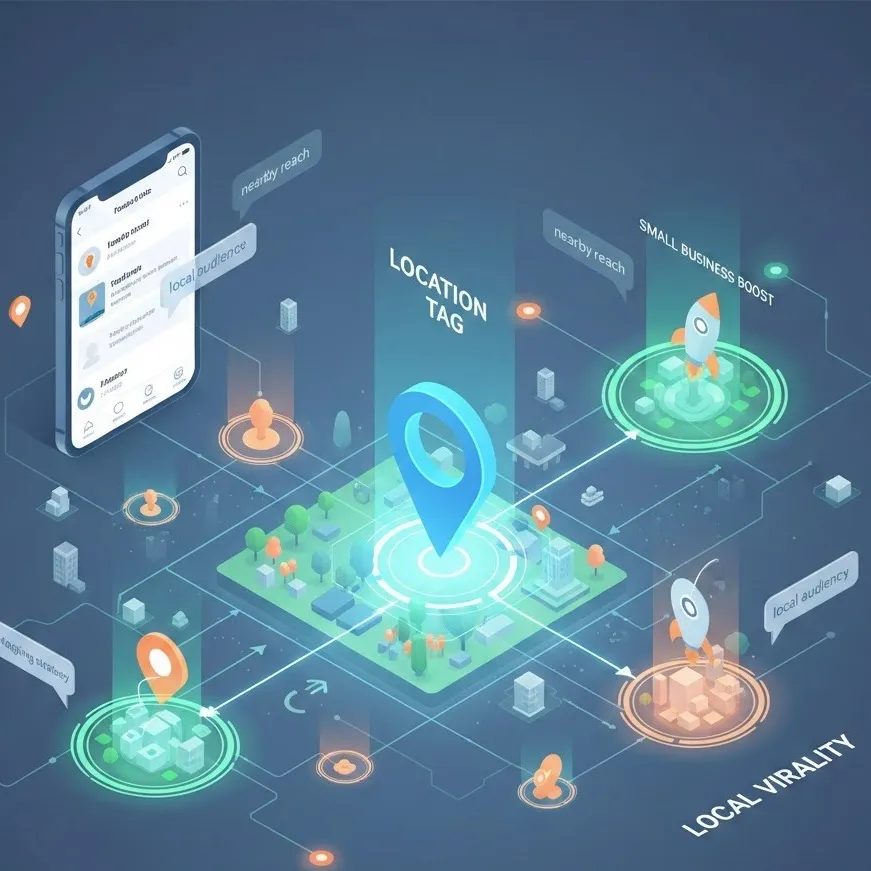
Master the location tag to reach a local audience.
The Power of the Geotag: Why Local Matters
When we talk about virality, we often think of millions of views from around the world. However, for a boutique coffee shop in Chicago or a freelance photographer in London, 1,000 views from people living within a five-mile radius are infinitely more valuable than 1,000,000 views from three continents away.
A geotagging strategy is the bridge between digital discovery and physical foot traffic. It transforms your content from a passive image into a searchable, interactive gateway for a local audience.
Why Geotags Work for Virality
Social media algorithms (especially on Instagram and TikTok) prioritize relevance. When you add a location tag, you are providing the algorithm with a crucial "context signal." If someone in your city is frequently engaging with local content, the algorithm is more likely to push your post into their feed because of the geographic proximity. This creates a "cluster effect" where your content circulates heavily within a specific community, leading to what we call local virality.
Strategies for a Small Business Boost
For entrepreneurs, a small business boost doesn't always require a massive ad budget. It requires being "findable" where your customers already are.
1. Tagging the "Micro-Location"
One common mistake is tagging a broad city like "New York" or "Los Angeles." While this has a massive reach, it also has massive competition. To reach a more nearby reach, try tagging specific neighborhoods (e.g., "Williamsburg" instead of "Brooklyn") or even specific landmarks and popular nearby venues.
The Logic: People often browse the location pages of their favorite parks, brunch spots, or shopping districts. By appearing in these niche feeds, you tap into a pre-qualified audience.
2. Encouraging Check-ins (UGC)
Your own posts are only half the battle. To truly achieve local virality, you need your customers to become your advocates.
Actionable Tip: Create an "Instagrammable" corner in your physical space and place a small sign: "Tag us at [Your Location Tag] for a chance to be featured!" When customers use your location tag, their entire circle of local friends sees your business.
A Simple Tip: The "Anchor" Technique
If you want to reach a highly engaged, localized audience, use the Anchor Technique.
Instead of always tagging your own business address, occasionally tag a popular "anchor" location nearby—like a famous park, a transit hub, or a massive local event happening that weekend.
The Secret: People visiting that anchor location are often looking for "things to do nearby." When they click the location tag for the park they are sitting in, they’ll see your post showing a delicious latte or a unique product just two blocks away. This is the ultimate way to convert digital browsing into immediate physical support.
Mastering Nearby Reach: Platform Specifics
Each platform treats geographical data differently. To maximize your nearby reach, you must adapt your geotagging strategy accordingly.
Instagram: The Discovery Hub
Instagram location pages are essentially digital magazines for a specific area. When you use a location tag on a Reel, you aren't just reaching your followers; you're entering a curated gallery that locals check to see "what's happening."
Pro Tip: Use the "Add Location" feature on Stories as well. Local Stories are often aggregated into a larger "City Story" that can explode your views overnight.
TikTok: The Proximity Algorithm
TikTok is increasingly leaning into its "Nearby" feed. By consistently tagging your city and using local keywords in your captions, you train the TikTok algorithm to associate your account with a specific region. This increases the chances of your video appearing on the "For You" pages of people physically near you.
Conclusion: Putting Your Business on the Digital Map
Geotagging is more than just a technical step in the posting process; it is a communication tool. It tells your local audience that you are part of their world. Whether you are looking for a small business boost or simply want to connect with your neighbors, the humble location tag is your most effective free marketing tool.
By being intentional with your geotagging strategy, you move beyond global vanity metrics and focus on the metrics that matter: local engagement, community trust, and real-world results.
Would you like me to help you draft some localized captions using these keywords for your next few posts?