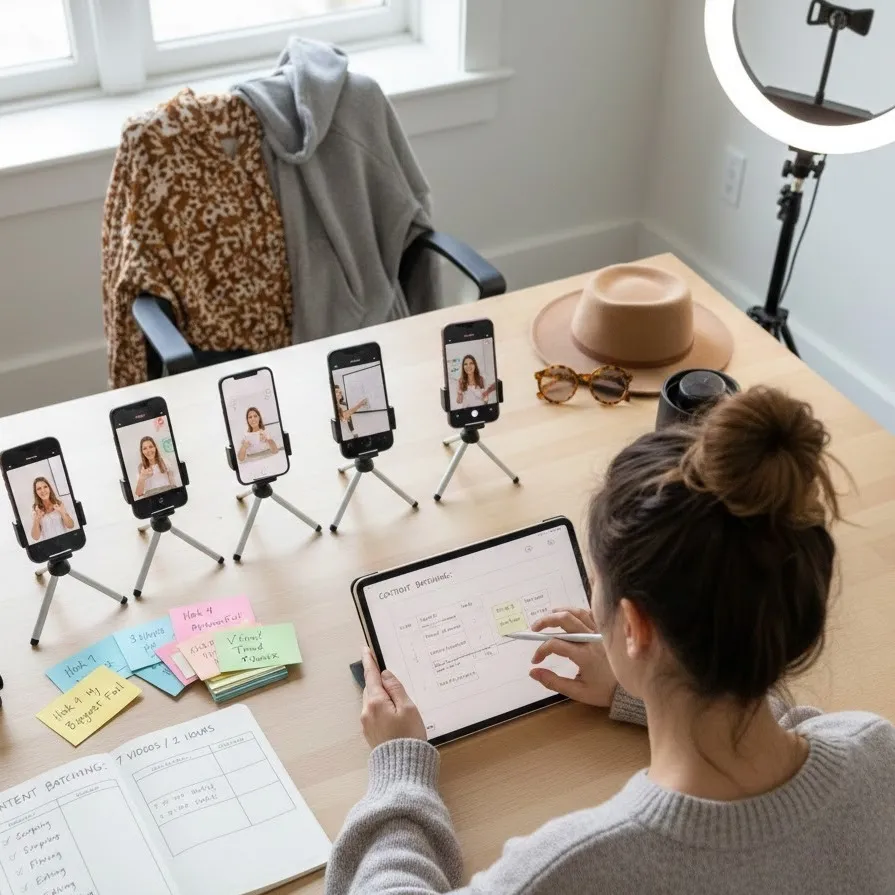
Master content batching and bulk creation
Master the Content Sprint: How to Batch 7 Videos in 2 Hours
In the fast-paced world of digital marketing, the pressure to maintain a consistency schedule can feel like a secondary full-time job. Whether you are a solo creator or a small business owner, the demand for short-form video on platforms like TikTok, Reels, and YouTube Shorts is relentless. To stay relevant, many experts suggest posting multiple times per day—a pace that leads straight to exhaustion if handled day-to-day.
The solution? Content batching.
By shifting from a "create-as-you-go" mindset to a bulk creation workflow, you can reclaim your time, maintain high quality, and ensure your brand stays top-of-mind. This guide provides a comprehensive roadmap for executing a high-intensity content sprint, allowing you to produce 5 to 7 professional videos in a single 2-hour window.
Why Batching is Your Secret Weapon for Growth
The human brain struggles with "task switching." When you stop what you’re doing to set up a tripod, find good lighting, film one video, edit it, and then post it, you lose significant cognitive momentum. Content batching eliminates this friction.
The Benefits of Bulk Creation
-
Burnout Prevention: By separating the creative "doing" from the daily "stressing," you protect your mental health.
-
Visual Consistency: When you film in one session, your lighting and audio quality remain uniform across your posts.
-
Improved Efficiency: You only have to set up your equipment and "get into character" once.
The 2-Hour Content Sprint: A Step-by-Step Plan
To film 5 to 7 videos in just 120 minutes, you cannot wing it. You need a surgical approach to your content sprint. Here is how to break down your two hours for maximum output.
1. The Pre-Sprint Phase (Preparation is Key)
Note: This happens before your 2-hour timer starts.
-
Scripting: Write out your hooks and bullet points for all 7 videos.
-
Outfit Changes: Prepare 2–3 different shirts or accessories to give the illusion that the videos were filmed on different days.
-
Tech Check: Ensure your phone is charged, your storage is clear, and your ring light is ready.
2. The Filming Hour (Minutes 0–60)
The goal here is raw footage. Do not worry about mistakes; just keep the camera rolling.
-
Batch by Angle: Film all "talking head" videos first, then switch to "lifestyle" or "POV" shots.
-
The 10-Minute Rule: Allocate no more than 10 minutes per video. If you can’t get it right in 10 minutes, move to the next one to keep your momentum.
3. The Editing Wave (Minutes 60–110)
Use mobile-friendly editors like CapCut or InShot.
-
Standardize Your Style: Apply the same filter or color grade to all clips to maintain brand identity.
-
Use Templates: Leverage saved templates for captions and transitions to speed up the process.
4. The Scheduling Finish (Minutes 110–120)
Finalize your consistency schedule. Upload your videos to your drafts or a scheduling tool (like Later or Metricool) so they are ready to go live at peak times.
Strategies for Burnout Prevention
The primary reason creators quit is not a lack of ideas, but a lack of systems. Burnout prevention is built into the batching process because it removes the "What do I post today?" anxiety. When you have a bank of content ready, you can afford to take a day off without your engagement metrics tanking.
To stay fresh:
-
Themed Days: Dedicate one day a month to filming and one day a week to editing.
-
Lower the Bar: Not every video needs to be a cinematic masterpiece. Use some of your 7 slots for "low-effort" high-value tips.
Maximizing Your Consistency Schedule
Posting multiple times per day requires a strategic mix of content. When planning your bulk creation session, aim for this variety:
-
The Educator: 2 videos teaching a specific hack or "how-to."
-
The Relatable Peer: 2 videos sharing a personal story or a "fail."
-
The Authority: 1 video addressing a trending news item in your niche.
-
The Quick Win: 2 short, high-energy clips with trending audio.